MyODK is available to all members of Omicron Delta Kappa. We created accounts for most OΔK members, but the member must enable them.
To enable your account, use the email address that was used to inform you about MyODK. DO NOT CREATE A NEW ACCOUNT. We will help you enable your existing account.
STEP 1
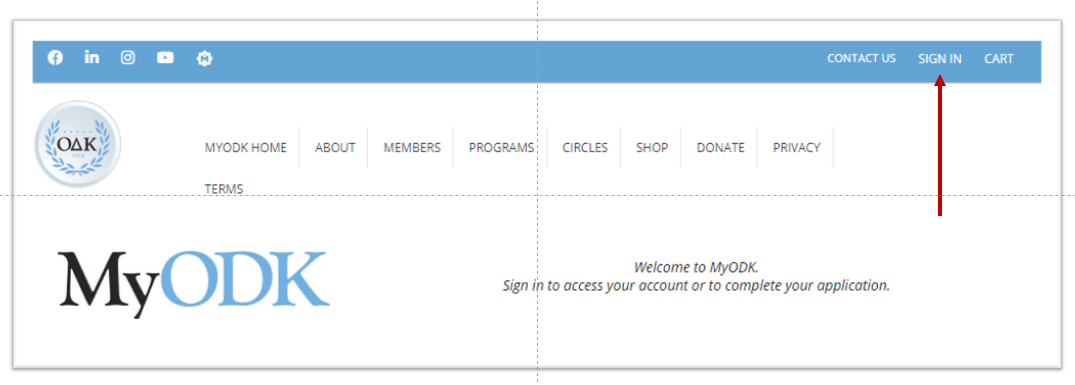
- Open my.odk.org and select SIGN IN
STEP 2
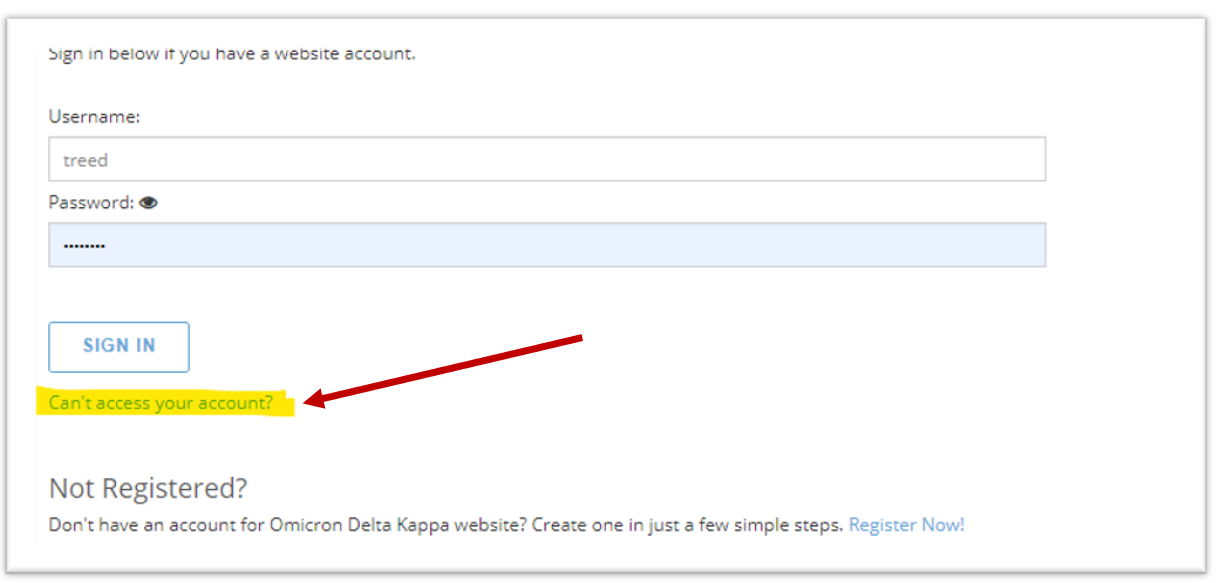
- Select “Can’t Access Your Account?”
STEP 3
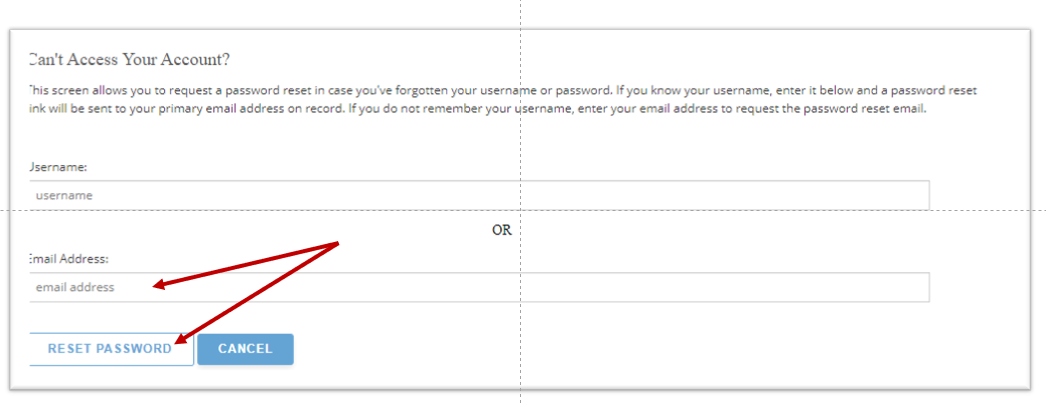
- Enter your email and click reset password.
You do not have a password yet.
-
- Enter your email from the MyODK announcement email
- Select RESET PASSWORD so the system can send you an email to set your password.
STEP 4
- Check your email for the link to enable your account.
- Complete the steps as directed.
If you do not receive the email with the link or receive a message stating your email is not found, contact [email protected].
DO NOT CREATE A NEW ACCOUNT. We will help you enable your existing account. Contact [email protected].
